Cashier
See incoming orders, confirm payments and keep the order moving.
Sirvora connects how guests order with what the cashier, kitchen, floor and fulfilment team need to do next. It is more than a digital menu.
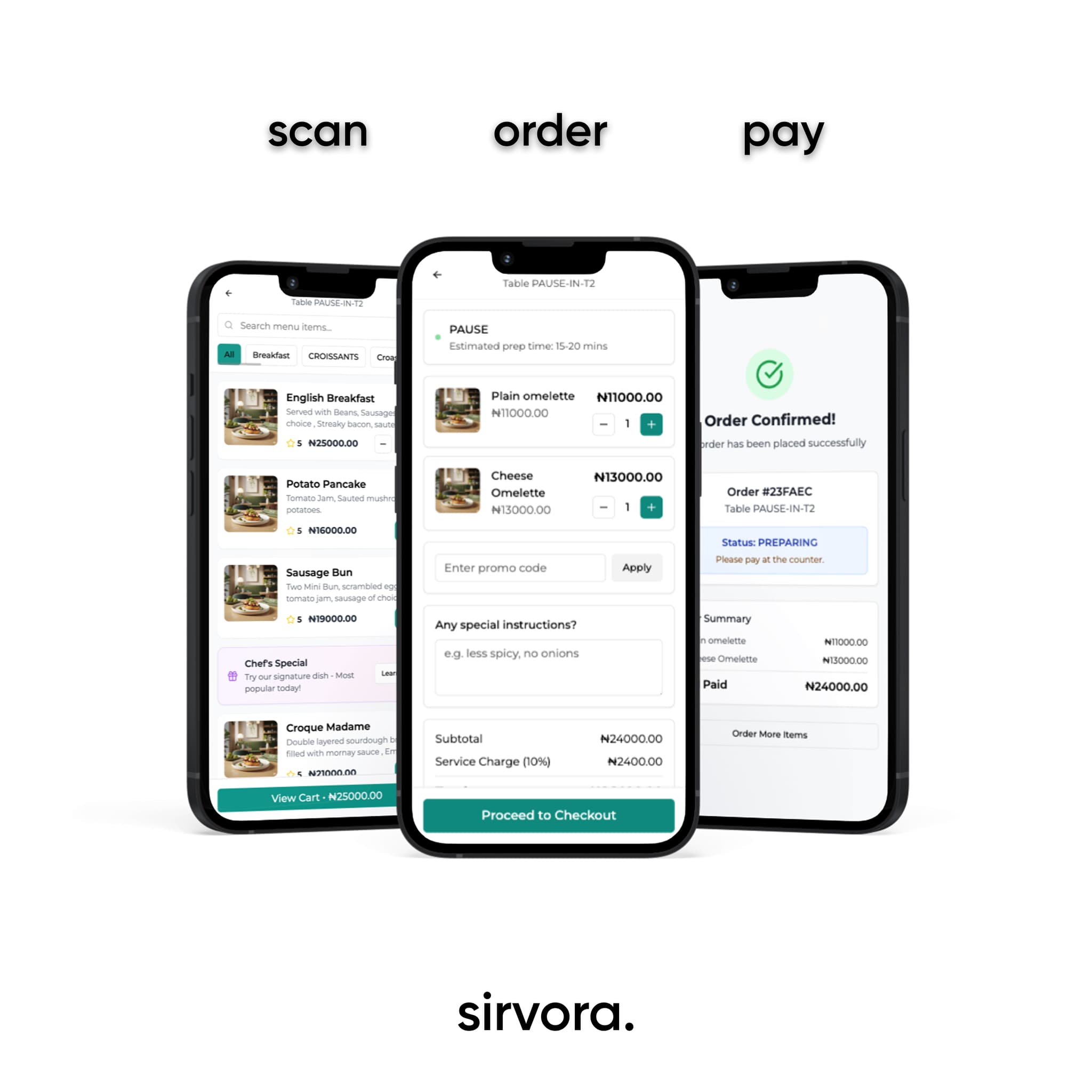
Each stage stays connected, so the team can see the same order as it moves through service.
Give customers a digital menu, direct ordering link or table QR so they can browse and place an order.
Capture orders centrally, take online payment or let the cashier confirm payment before preparation.
Move the order through cashier, kitchen display, preparation status, table and floor workflows.
Complete the same order as dine-in, customer pickup or delivery.
Customer ordering is only useful when the operation behind it can act clearly.
See incoming orders, confirm payments and keep the order moving.
Receive tickets, track preparation and see item availability.
Support table setup, QR ordering and dine-in service workflows.
Keep the order and its current status visible to the people handling it.
Manage menus, item availability and store settings from the back office.
Coordinate dine-in, pickup and delivery from the order record.
Use the ordering channels you need without treating them as separate businesses.
A guest can order at a table, use a direct link, or place an order for pickup or delivery. Sirvora carries the order into the operational workflow instead of stopping at the menu.
We will map Sirvora to your ordering channels, payment flow, kitchen, floor and fulfilment setup.